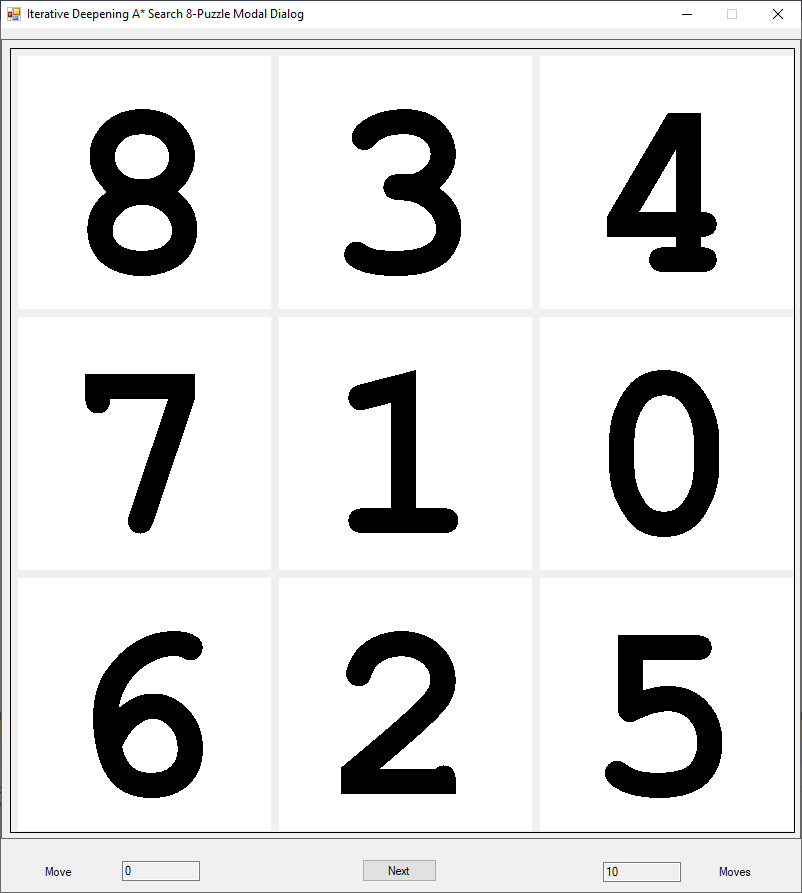
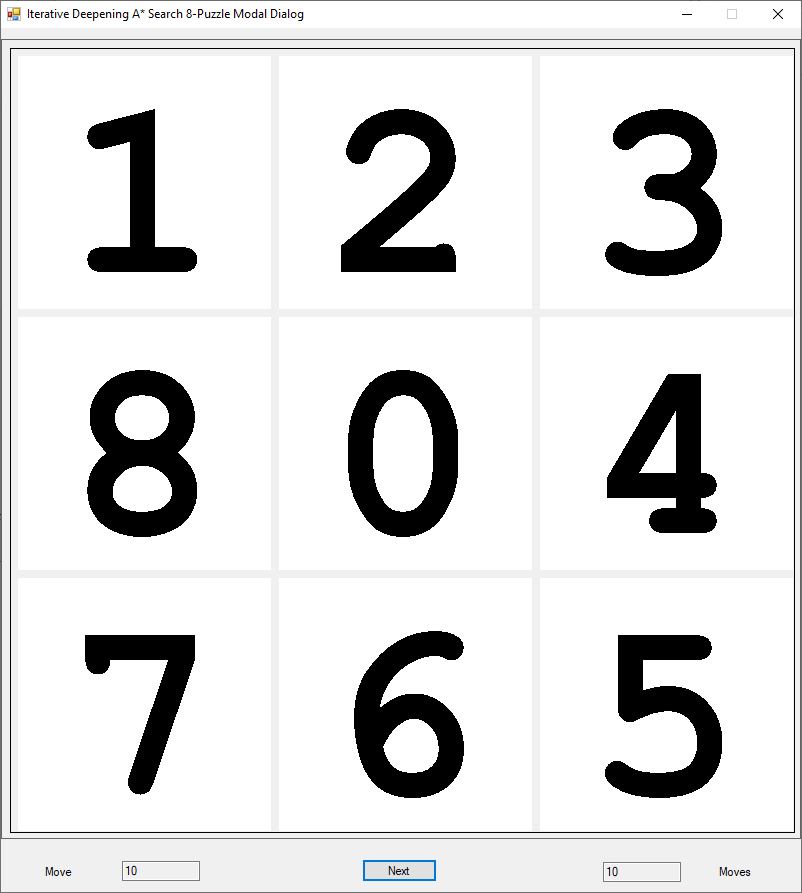
The 8-puzzle is a child’s tiled toy. The toy consists of 8 numbered tiles and a blank space. The object of the game is to get the tiles in the order 1 to 8 going from the top left hand corner for the number 1 tile around the perimeter clockwise and finish with the space in the center of the 3 x 3 board.
A* search is a complete and optimal informed or heuristic search algorithm. A good source for information on uniformed and informed search procedures is the tome “Artificial Intelligence A Modern Approach First and/or Second Edition” by Stuart Russell and Peter Norvig. The second edition has more info on the 8-puzzle and the 15-puzzle. Iterative deepening A* search is also a complete and optimal search algorithm. Below is an instance of the 8-puzzle that requires 10 steps to reach the goal state. I use a different goal state than Russell and Norvig in the second edition of their textbook.
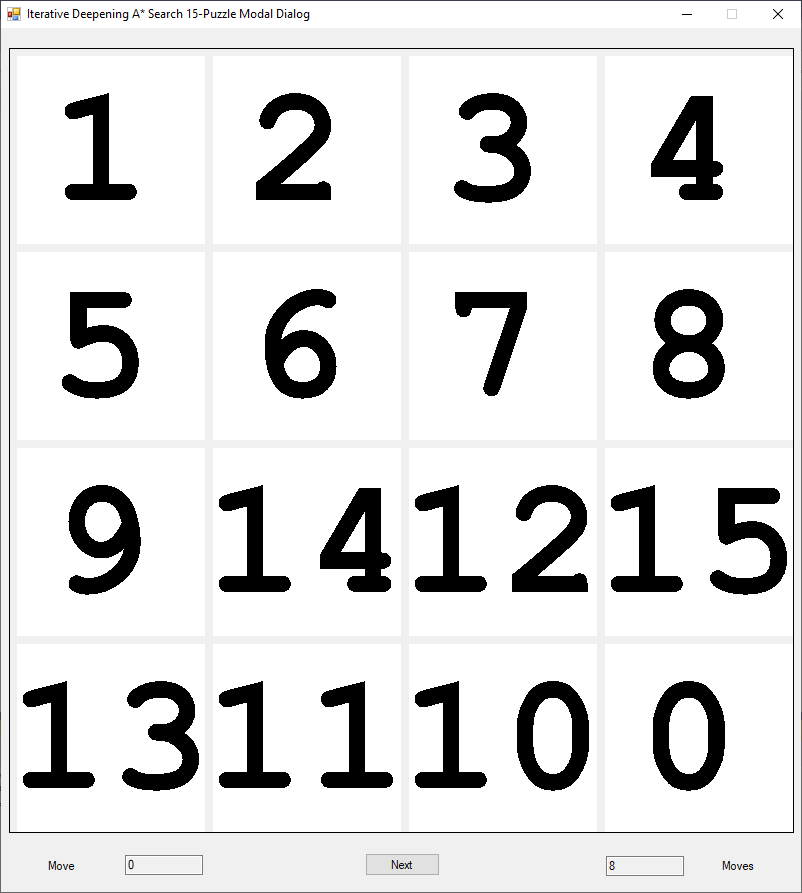
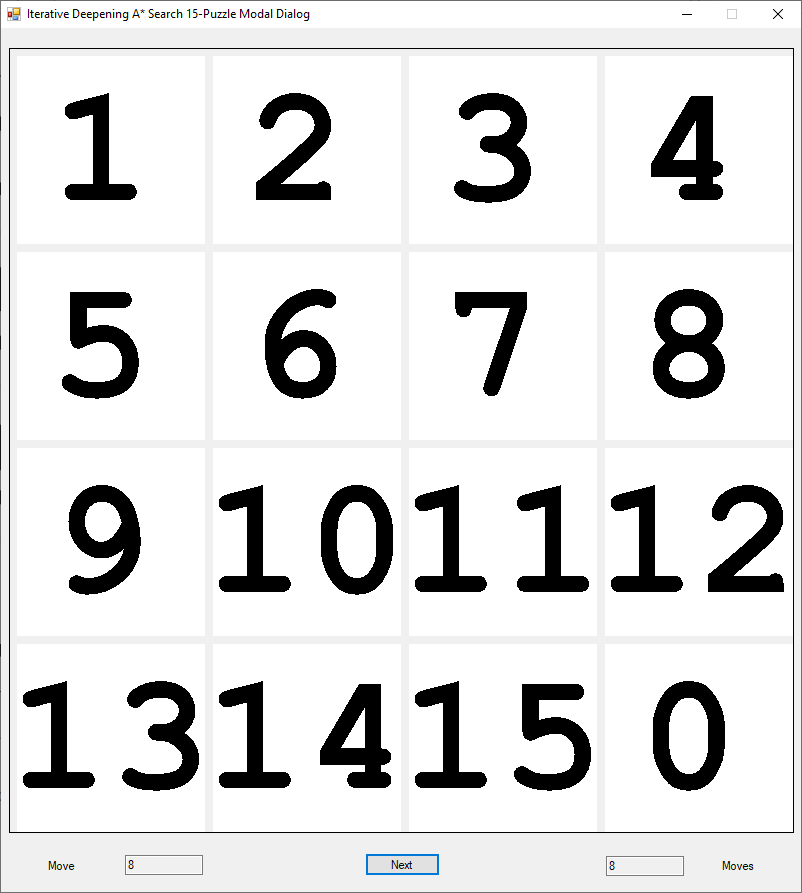
Initial State of a 8-Puzzle InstanceGoal State of a 8-Puzzle InstanceInitial State of a 15-Puzzle InstanceGoal State of a 15-Puzzle Instance
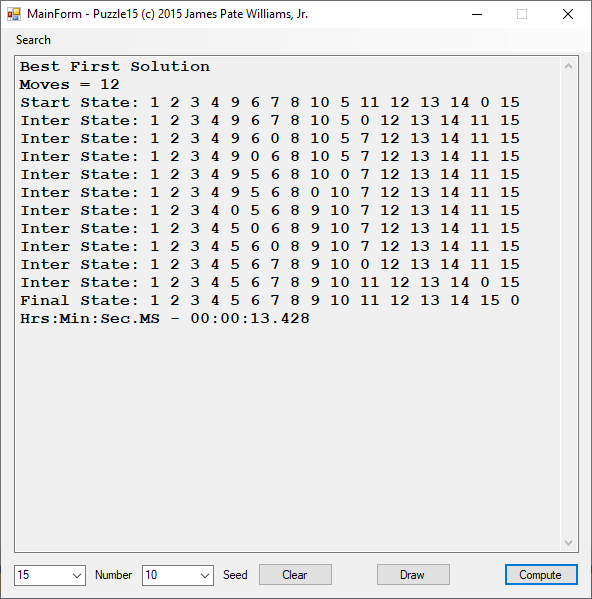
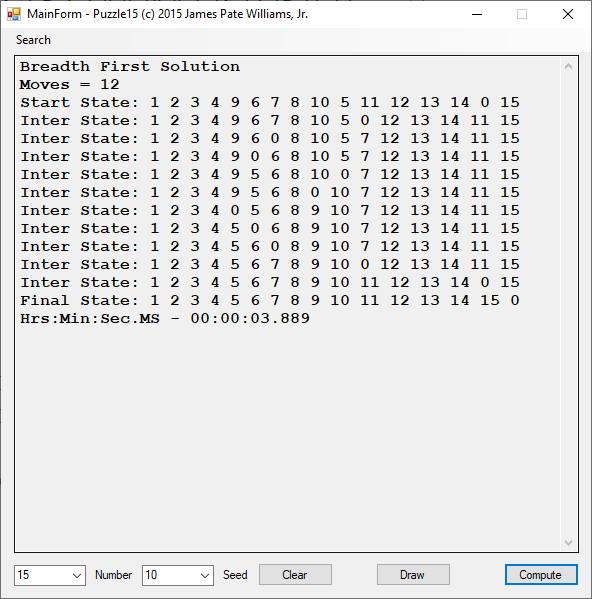
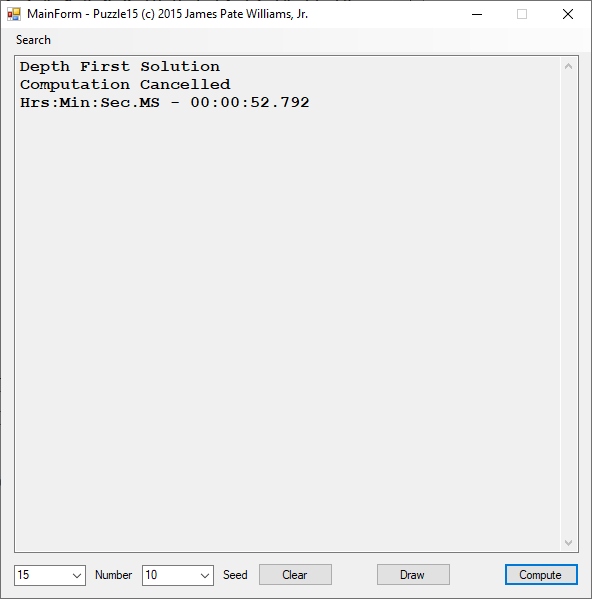
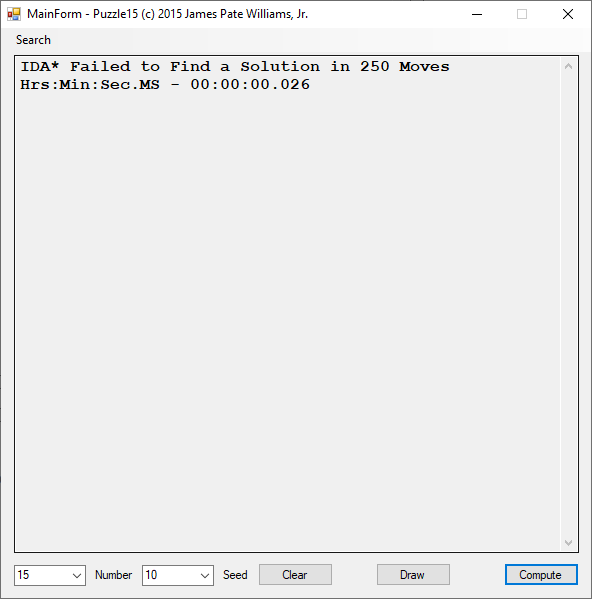
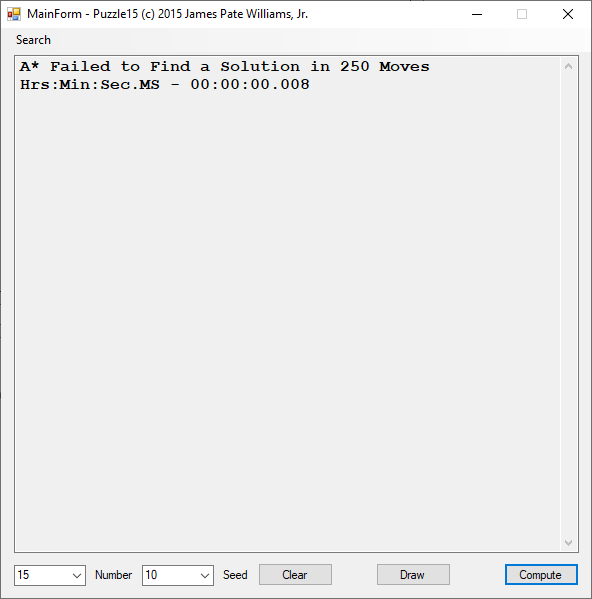
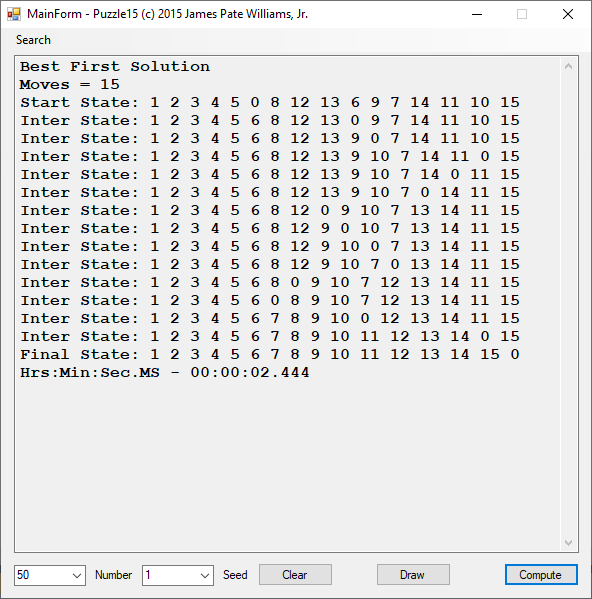
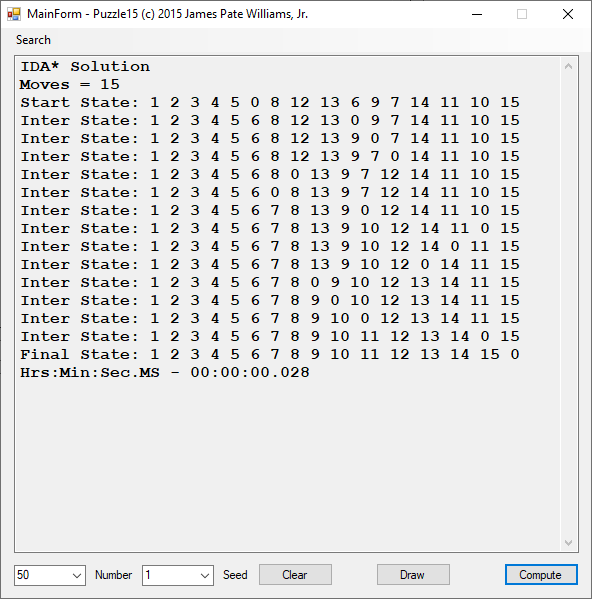
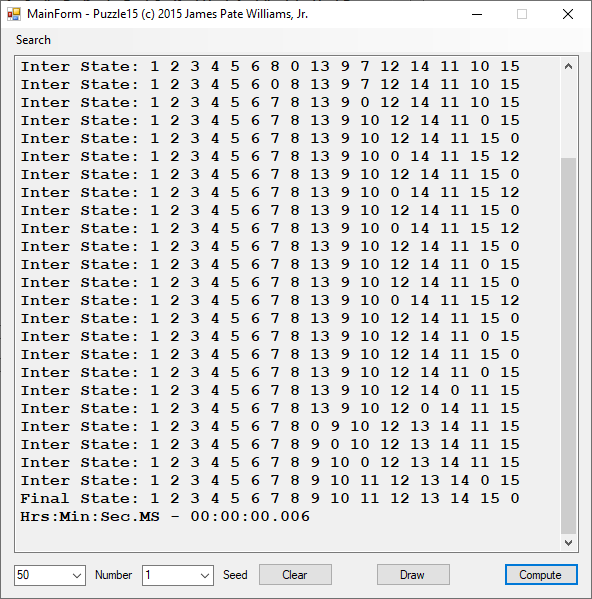
I developed an application in 2015 that uses 5 search algorithms to solve instances of the 15-puzzle.
Best First Search AlgorithmBreadth First Search AlgorithmFailure of Depth First AlgorithmFailure of IDA* SearchFailure of the A* SearchBest First SearchFailure of Breadth First SearchFailure of Depth First SearchIDA* Search SolutionA* Search Solution
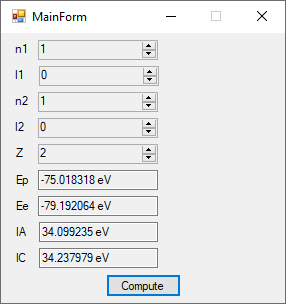
The first order perturbation calculation for the helium atom ground state is treated in detail in the textbook “Quantum Mechanics Third Edition” by Leonard I. Schiff pages 257 to 259. I offer a numerical algorithm for computing the electron-electron repulsion interaction which is analytically determined by Schiff and other scientists. Next is the graphical user interface for the application and its output.
Application Graphical User Interface
The Ep text box is the ground state energy as found by a first order perturbation computation. The Ee text box is the experimental ground state energy. The IA text box is the analytic electron-electron repulsion interaction determined by Schiff and other quantum mechanics researchers. The IC text box is my numerical contribution. All the energies are in electron volts.
The application source code are the next items in this blog.
using System;

namespace SteadyStateTempCylinder
{
    public class PotPoint : IComparable
    {
        private double x, y, u;

        public double X
        {
            get
            {
                return x;
            }
            set
            {
                x = value;
            }
        }

        public double Y
        {
            get
            {
                return y;
            }
            set
            {
                y = value;
            }
        }

        public double U
        {
            get
            {
                return u;
            }
            set
            {
                u = value;
            }
        }

        public PotPoint(double x, double y, double u)
        {
            this.x = x;
            this.y = y;
            this.u = u;
        }

        public int CompareTo(object obj)
        {
            if (obj == null)
                return 1;

            PotPoint pp = (PotPoint)obj;

            if (u > pp.u)
                return 1;
            else if (u == pp.u)
                return 0;
            else
                return -1;
        }
    }
}
Sometimes in my group therapy, we play a game of taking an anagram and unscrambling the puzzle and determining all the words that can be created from the unscrambled anagram letters. Suppose we have the scrambled word “cimdteos“ then the following list is created using my new application.
1 demotics 2 domestic 3 ed 4 em 5 me 6 mo 7 om 8 to 9 ti 10 it 11 cs 12 med 13 mot 14 tom 15 tic 16 cit 17 sic 18 sci 19 demo 20 dome 21 mode 22 mote 23 tome 24 omit 25 tics 26 cits 27 stoic 28 sitcom 29 demotic 30 do 31 es 32 st 33 ts 34 mod 35 mes 36 ems 37 est 38 set 39 sit 40 tis 41 its 42 some 43 mets 44 stem 45 ties 46 site 47 domes 48 demos 49 modes 50 motes 51 tomes 52 smote 53 mites 54 emits 55 smite 56 times 57 items 58 cites 59 modest
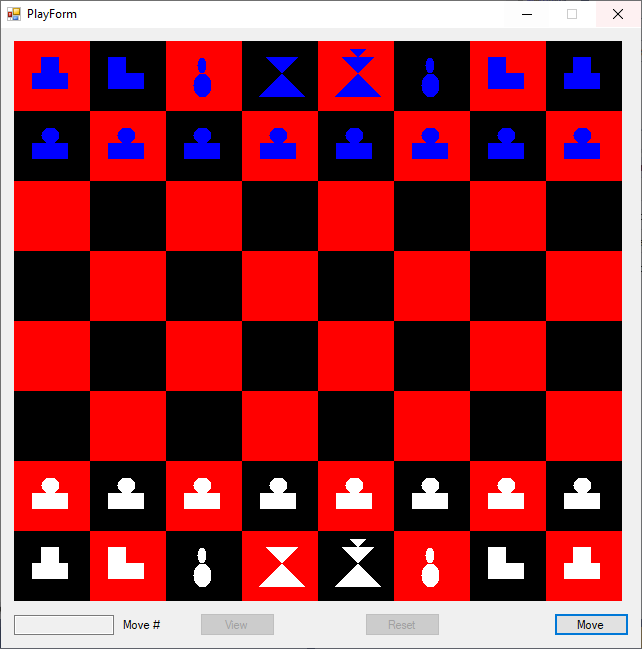
I started creating computer programs the Summer Semester of 2002 at Auburn University. I took a course named “Hand Held Software Development”. The course was taught by my research advisor Associate Professor Richard O. Chapman. I created a distributed chess playing client-server Internet system for human chess players. The program was built using the Palm Pilot’s Palm OS and its C language compiler. Later in circa 2006 I built a rule based and neural network chess program for a computer to play itself and for a human observer (voyeur). The language was Java. Then in 2015 I translated and enhanced my Java program by rewriting the code in C#. Below are pictures of one game.
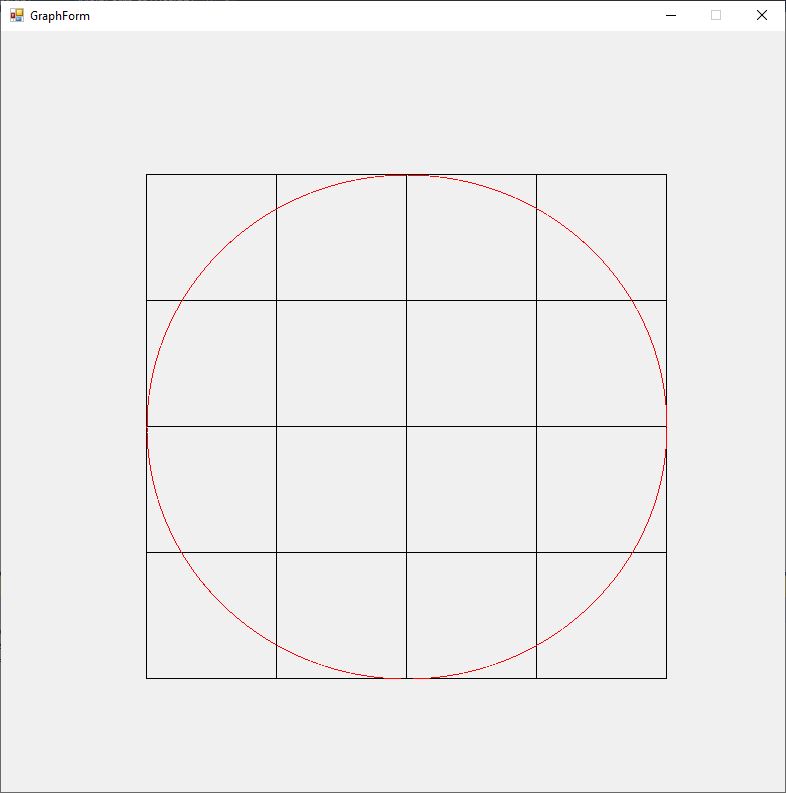
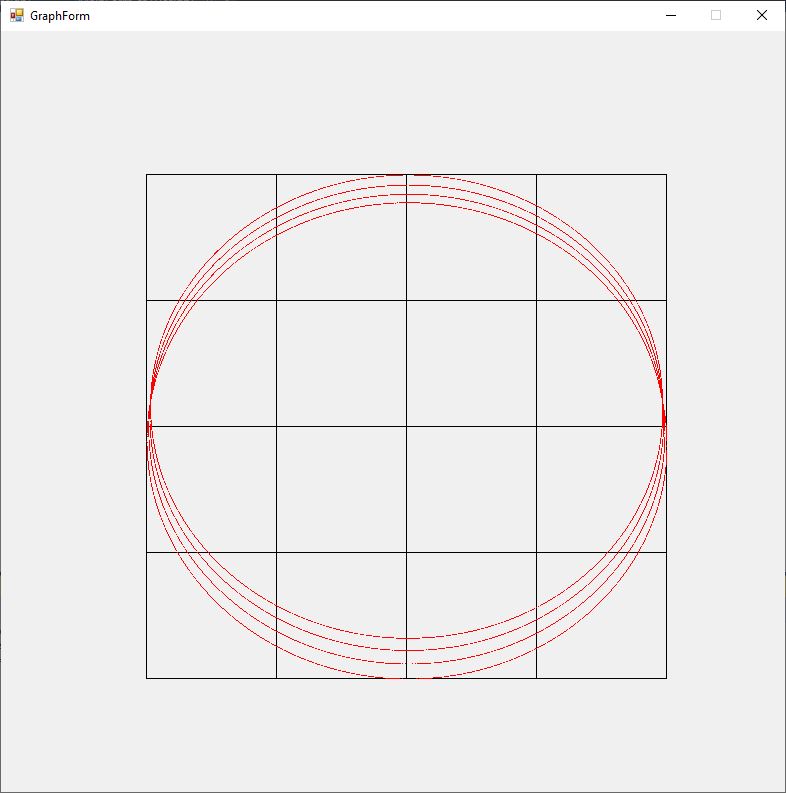
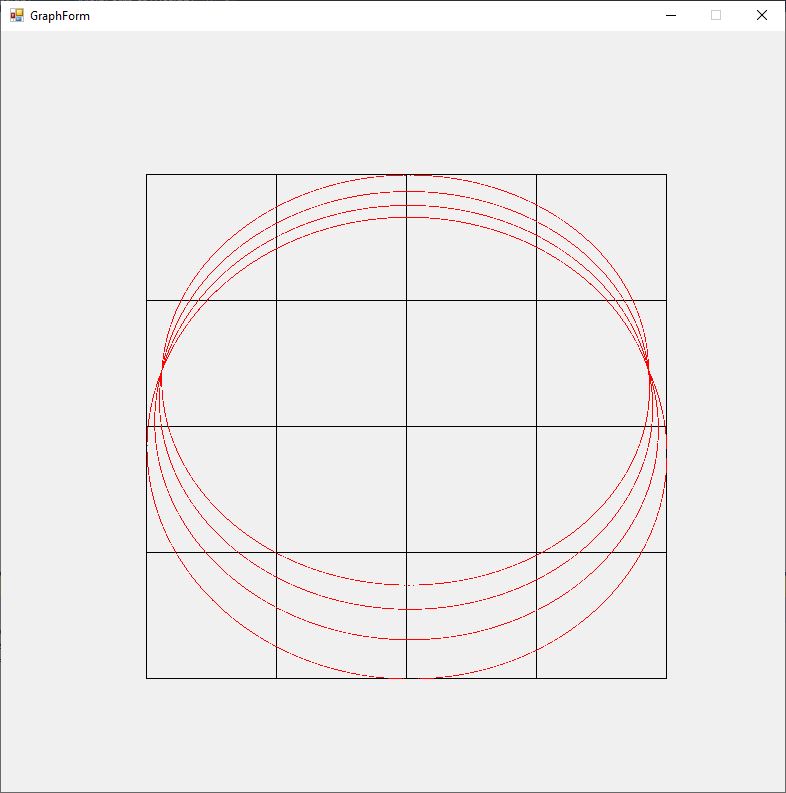
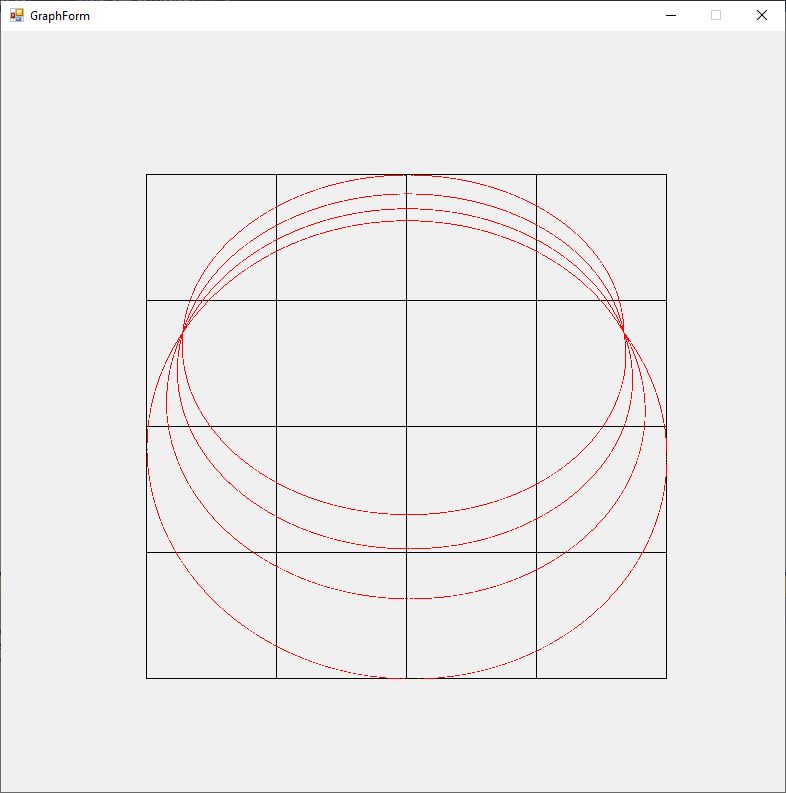
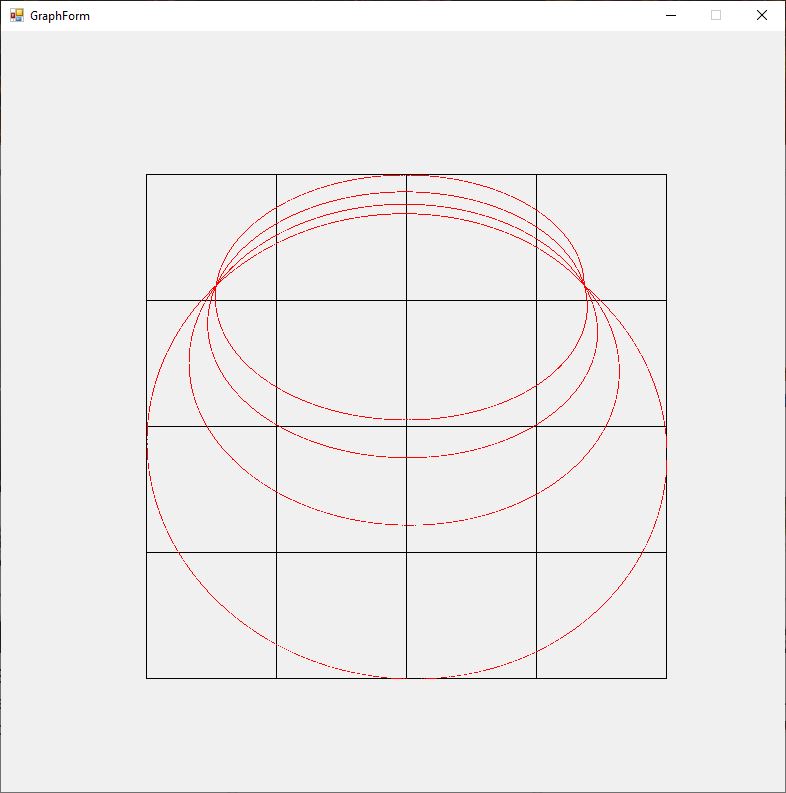
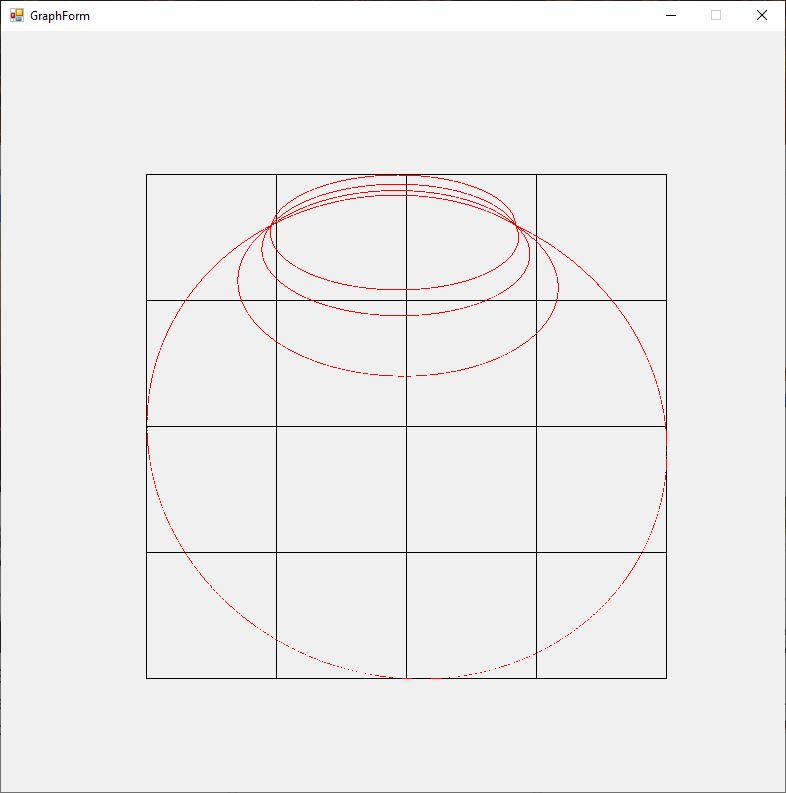
The Rosette motion of the perihelion precession of a massive object orbiting a black hole (Schwarzschild solution Einstein’s general relativity field equations is illustrated by the graphs below for varying values of eccentricity of the ellipsoidal orbit 0.00, 0.01, 0.02, 0.03, 0.04, and 0.05. The angular momentum constant is B = 1, and the mass is M = 10.
using System;
using System.Drawing;
using System.Windows.Forms;

namespace SchwarzschildOrbit
{
    public partial class GraphForm : Form
    {
        private double B, B2, B4, M, M2, M3, epsilon;

        public GraphForm(double B, double M, double epsilon)
        {
            InitializeComponent();
            this.B = B;
            this.M = M;
            this.epsilon = epsilon;
            B2 = B * B;
            B4 = B2 * B2;
            M2 = M * M;
            M3 = M * M2;
            panel1.Paint += Panel1_Paint;
        }

        private double u0(double phi)
        {
            return M * (1.0 + epsilon * Math.Cos(phi)) / B2;
        }

        private double u1(double phi)
        {
            return u0(phi) + 3.0 * M3 * (1.0 + epsilon * phi * Math.Sin(phi)
                + epsilon * epsilon * (0.5 - Math.Cos(2.0 * phi) / 6.0)) / B4;
        }

        private double X(double r, double phi)
        {
            return r * Math.Cos(phi);
        }

        private double Y(double r, double phi)
        {
            return r * Math.Sin(phi);
        }

        private void Maximums(out double maxR, out double maxPhi,
            out double XMax, out double XMin, out double YMax, out double YMin)
        {
            double phi = 0.0, r = 0.0, XC = 0.0, YC = 0.0;

            maxPhi = 0.0;
            maxR = double.MinValue;
            XMax = double.MinValue;
            YMax = double.MinValue;
            XMin = double.MaxValue;
            YMin = double.MaxValue;

            while (phi <= 8.0 * Math.PI)
            {
                r = 1.0 / u1(phi);

                if (r > maxR)
                {
                    maxR = r;
                    maxPhi = phi;
                }

                XC = X(r, phi);

                if (XC > XMax)
                    XMax = XC;

                YC = Y(r, phi);

                if (YC > YMax)
                    YMax = YC;

                if (XC < XMin)
                    XMin = XC;

                if (YC < YMin)
                    YMin = YC;

                phi += 0.001;
            }
        }

        private void Minimums(out double minR, out double minPhi,
            out double XMax, out double XMin, out double YMax, out double YMin)
        {
            double phi = 0.0, r = 0.0, XC = 0.0, YC = 0.0;

            minPhi = 0.0;
            minR = double.MaxValue;
            XMax = double.MinValue;
            YMax = double.MinValue;
            XMin = double.MaxValue;
            YMin = double.MaxValue;

            while (phi <= 8.0 * Math.PI)
            {
                r = 1.0 / u1(phi);

                if (r < minR)
                {
                    minR = r;
                    minPhi = phi;
                }

                XC = X(r, phi);

                if (XC > XMax)
                    XMax = XC;

                YC = Y(r, phi);

                if (YC > YMax)
                    YMax = YC;

                if (XC < XMin)
                    XMin = XC;

                if (YC < YMin)
                    YMin = YC;

                phi += 0.001;
            }
        }

        private void Panel1_Paint(object sender, PaintEventArgs e)
        {
            panel1.Size = ClientSize;
            int width = ClientSize.Width;
            int height = ClientSize.Height;
            int deltaX = width / 6;
            int deltaY = height / 6;
            int minX = deltaX;
            int maxX = 5 * deltaX;
            int minY = deltaY;
            int maxY = 5 * deltaY;
            double maxPhi, minPhi, maxR, minR;
            double XMax, XMin, YMax, YMin;
            double UMax, UMin, VMax, VMin;

            Maximums(out maxR, out maxPhi, out XMax, out XMin, out YMax, out YMin);
            Minimums(out minR, out minPhi, out UMax, out UMin, out VMax, out VMin);

            double slopeX = (maxX - minX) / (XMax - XMin);
            double slopeY = (minY - maxY) / (YMax - YMin);
            double interX = minX - slopeX * XMin;
            double interY = maxY - slopeY * YMin;
            double chi = 0.0, eta = 0.0, phi = 0.0, r = 0.0, x, y;
            Graphics g = e.Graphics;
            Pen bp = new Pen(Color.Black);
            SolidBrush rb = new SolidBrush(Color.Red);

            g.Clip = new Region(new Rectangle(minX, minY, maxX - minX + 1, maxY - minY + 1));

            for (int i = 0; i < 5; i++)
                g.DrawLine(bp, (i + 1) * deltaX, minY, (i + 1) * deltaX, maxY);

            for (int i = 0; i < 5; i++)
                g.DrawLine(bp, minX, (i + 1) * deltaY, maxX, (i + 1) * deltaY);

            while (phi <= 8.0 * Math.PI)
            {
                r = 1.0 / u1(phi);
                x = X(r, phi);
                y = Y(r, phi);
                chi = slopeX * x + interX;
                eta = slopeY * y + interY;
                g.FillEllipse(rb, (float)chi, (float)eta, 1, 1);
                phi += 0.001;
            }
        }
    }
}
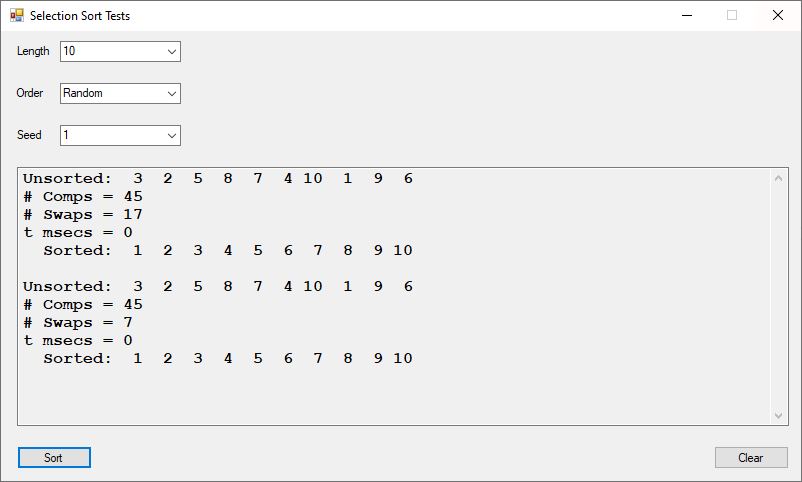
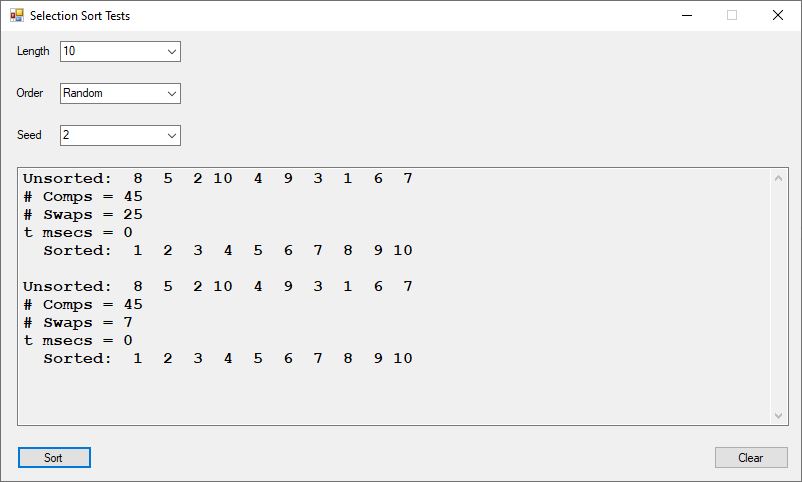
In our last blog we introduced two algorithms for implementing the selection sort which differed by the number of swap operations involved. The two required the same number of comparisons n * (n – 1) / 2 = 45 for n = 10, where n is the length of the array to be sorted and different number of swaps. We notice about a two-fold speed up in sorting using the minimal number of swaps version. Also make sure the number of swaps is implemented by a 64-bit integer since 100,000 * 99,999 = 9,999,899,999 which overflows a 32-bit integer. I learned about overflow while trying to sort large arrays of integers.
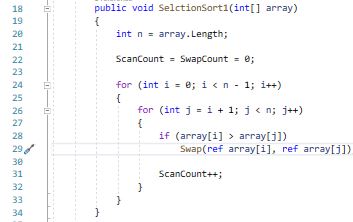
And my new code from the more efficient pseudo code found online:
New and Better CodeCommon Swap Function (Procedure)
Both implementations require n * (n – 1) / 2 comparisons which for an array of length 15 is 15 * 14 /2 = 15 * 7 = 105. The second implementation requires typically fewer calls to the swap function.
Selection Sort Test 15-Element Random ArraySelection Sort Test 15-Element Reverse Ordered ArraySelection Sort Test 15-Element Sorted Array
The first number after the unsorted array is the number of comparisons which is always 105 in our 15-element test cases. The second number is the tally of the swap function calls.
Alpha is defined as 0.5 * n. In our case n = 1, 2, 3, 4.
The solutions for the four cases above are graphed using Microsoft Mathematics:
Elliptic Partial Differential Equation for n = 1
Elliptic Partial Differential Equation for n = 2
Elliptic Partial Differential Equation for n = 3
Elliptic Partial Differential Equation for n = 4
The Microsoft Mathematics Application Window is illustrated below:
Microsoft Mathematics Application
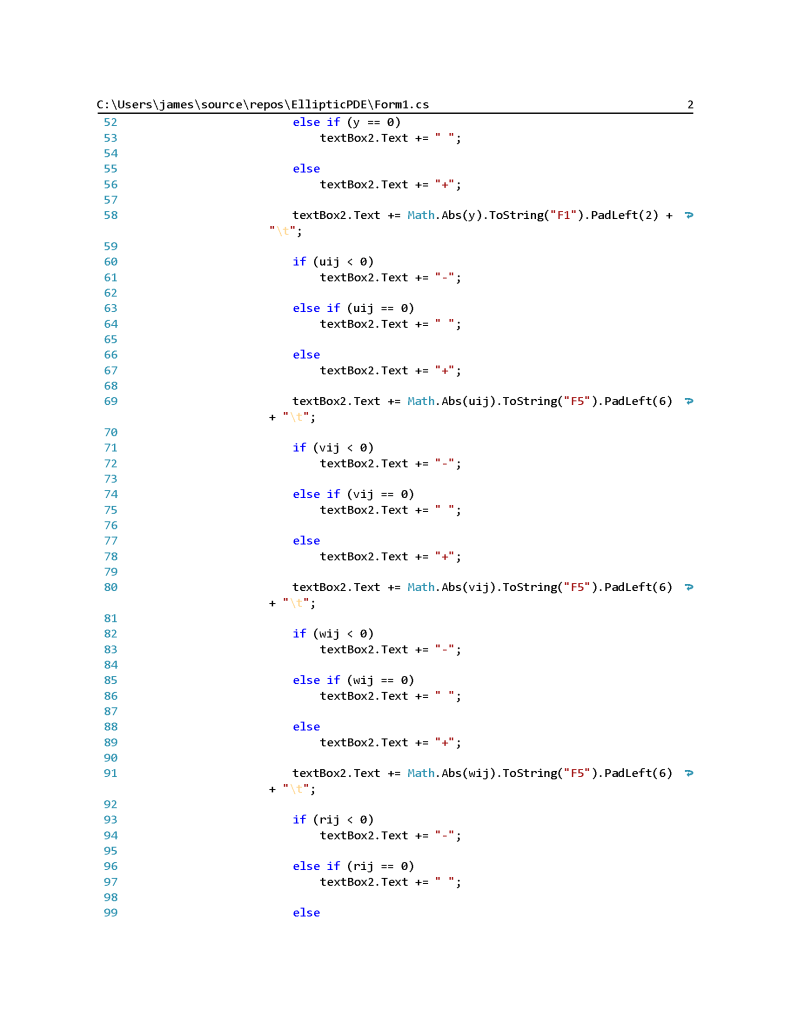
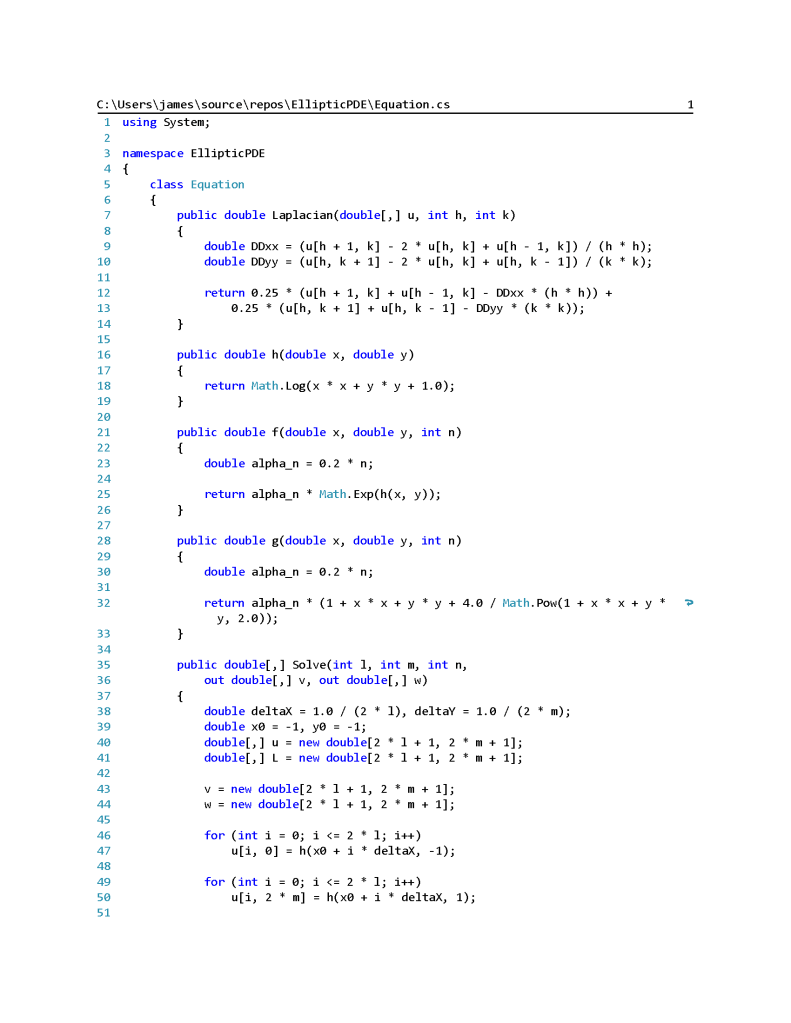
Finite Element Method Elliptic PDF Solver Main Form 1Finite Element Method Elliptic PDF Solver Main Form 2Finite Element Method Elliptic PDF Solver Main Form 3Finite Element Method Elliptic PDF Solver Equation Class 1Finite Element Method Elliptic PDF Solver Equation Class 2















 Numerical Explorations