Category: Microsoft Office 365
Exercises from Elementary Statistical Physics by C. Kittel by James Pate Williams, Jr.
Live Person-to-Person Tutoring
Blog Entry 01 11 2022 AES Exploration 2009 to 2018
Microsoft Outlook Add-In by James Pate Williams, Jr. BA, BS, MSwE, PhD
After successfully downloading and installing a free one-month trial evaluation version of Microsoft’s Visual Studio 2017 Professional Graphical User Interface Integrated Development Environment, I decided to try my hand at creating an Office VSTO Add-In. I chose the computer language C# and the Office application Outlook. Among other functions Outlook is a personal computer’s email client for IMAP or POP3. The problem that the add-in solves is a preliminary evaluation of the meaning of an email’s body. The add-in counts the frequency of occurrence of the following (assuming English language):
- Characters
- Lines Separated by CR/LF
- Words
- Danger Words – words that indicate danger to the author and/or other people, places, or things
- Cuss or Curse Words
- Hate and Objectionable Words
- Lower Case Characters
- Upper Case Characters
- Numeric Characters
- Consonant Count Including ‘y’
- Vowel Count Excluding the Sometimes ‘y’
- Punctuation Count {‘.’, ‘,’, ‘;’, ‘:’, ‘?’, ‘!’}
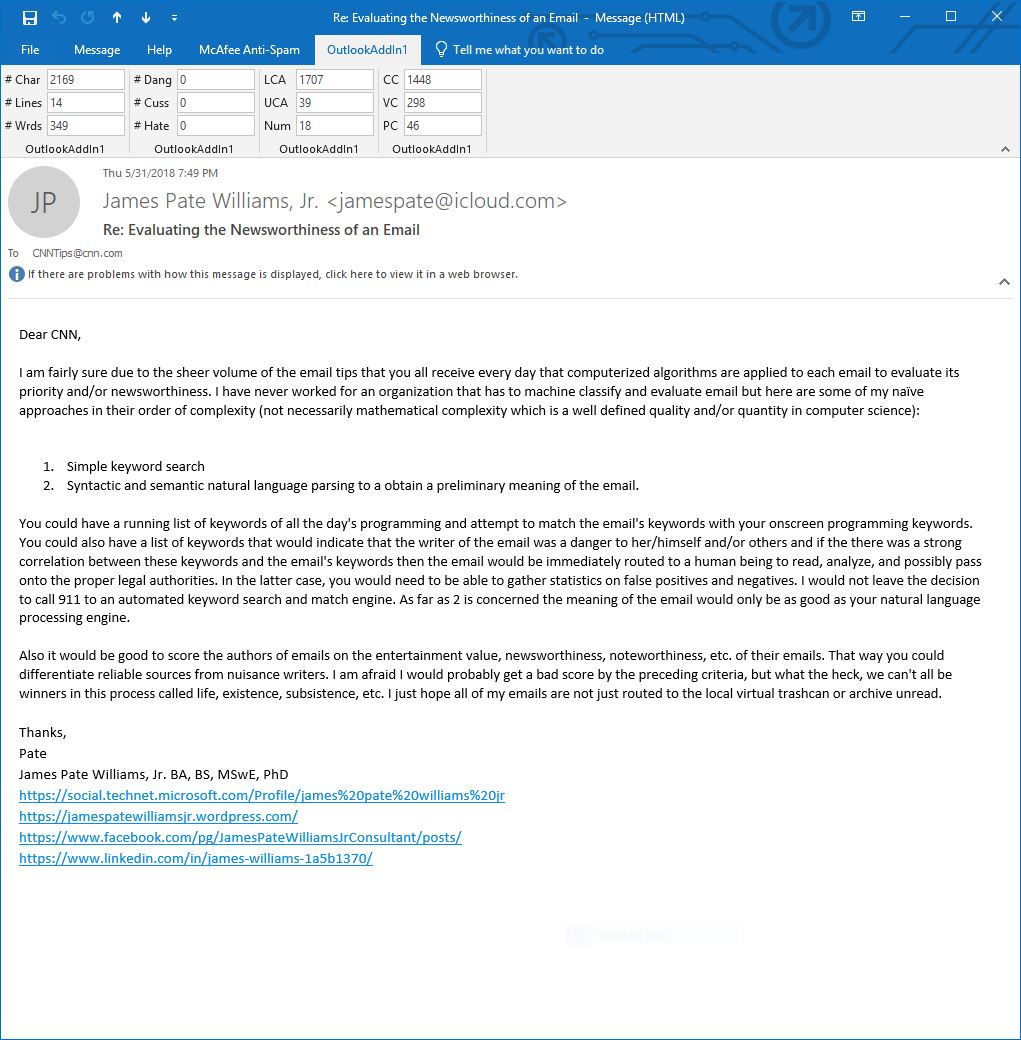
Once an email is opened and in an active inspector the OutlookAddIn1’s Outlook ribbon is displayed with 12 edit boxes that contain the counts enumerated in the preceding numbered list. Below is an email that illustrates night of the frequency tabulations.
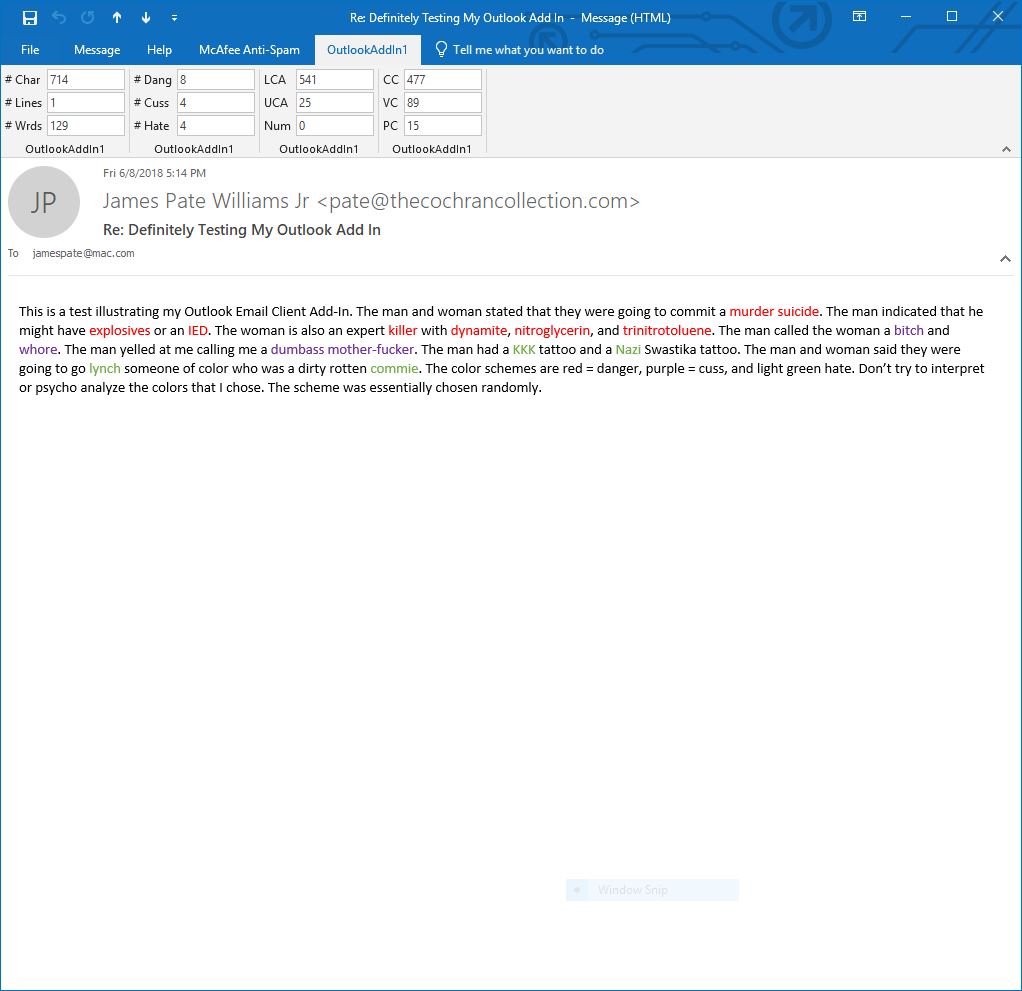
The next email contains danger, cuss, and hate words.
https://social.technet.microsoft.com/Profile/james%20pate%20williams%20jr
https://www.facebook.com/pg/JamesPateWilliamsJrConsultant/posts/
 Numerical Explorations